
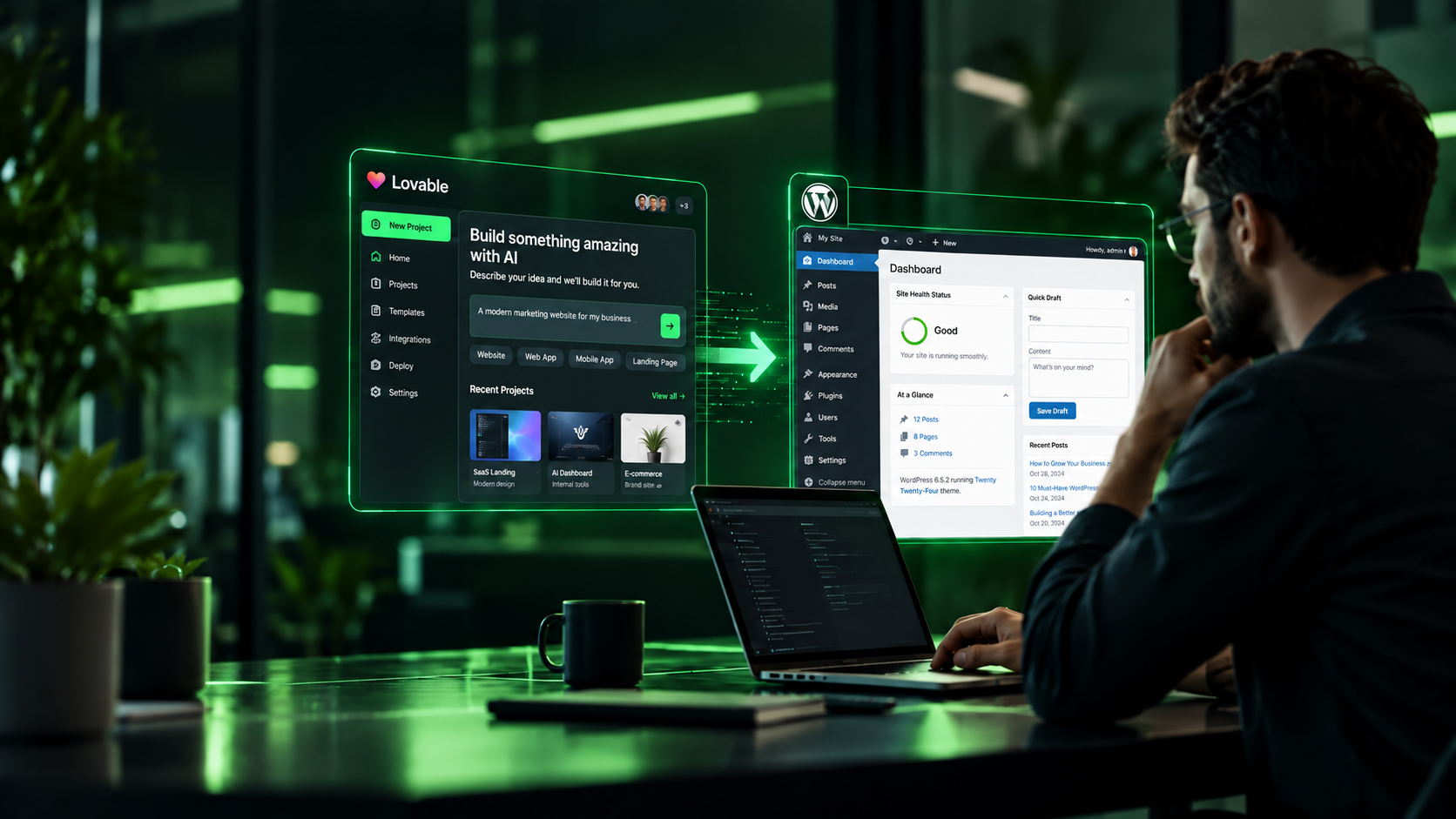
How to Convert an AI-Built Website to WordPress Without Starting Over
AI tools have dramatically changed how websites are created.
A founder can describe a landing page to Claude, generate a working interface with v0, build a complete prototype in Lovable or Bolt, and have something running in a browser before a traditional design and development team has finished its first round of wireframes.
That speed is valuable.
But there is a difference between generating a website and operating a website.
Once the initial excitement wears off, businesses usually start asking different questions:
Can our marketing team update the content?
Can we publish blog posts without editing code?
Can we manage SEO properly?
Can we integrate forms, CRM systems, WooCommerce, analytics, redirects, and tracking?
What happens when another developer needs to maintain the project?
And does the entire website really need to be rebuilt just because we want WordPress?
Usually, the answer to that last question is no.
A better approach is to treat the AI-generated website as a working prototype or frontend and determine the right way to connect it to a production-ready WordPress architecture.
That might mean converting it into a native WordPress theme. It might mean keeping the existing frontend and using WordPress as a headless CMS. Or it might mean combining both approaches.
Here is how we approach that decision at TechSinc.
AI Website Builders Solved the First Problem, Not Every Problem
Tools such as Claude, v0, Lovable, Bolt, Cursor, Replit and other AI development platforms are exceptionally useful for moving from an idea to a working interface.
You can explore layouts, test messaging, build interactive components and validate an idea much faster than with a traditional design-first workflow.
The challenge starts when that project needs to become part of a real business operation.
An AI-generated project may contain perfectly good UI code while still storing important information directly inside components.
A services section might contain six services hardcoded into a JavaScript array.
Testimonials might live directly inside a React component.
The navigation could be defined inside the frontend code.
Changing a heading may require another AI prompt, a Git commit or developer involvement.
None of those things necessarily make the project bad.
They simply mean the project was optimized for building the frontend, not necessarily for running a content-driven business website.
That is where WordPress can become useful.
What Does “Converting an AI Website to WordPress” Actually Mean?
A proper AI website to WordPress conversion is not copying screenshots into Elementor.
It is also not dumping generated HTML into a WordPress page and calling the project complete.
The real objective is to separate three concerns:
Presentation: how the website looks and behaves.
Content: the information the business needs to update.
Business functionality: forms, ecommerce, CRM integrations, analytics, authentication, automation and other workflows.
Once these layers are separated correctly, WordPress can manage the content and business logic while the original frontend experience is preserved wherever that makes technical sense.
The result should give a marketing team the convenience of WordPress without sacrificing the work already completed in the AI-generated frontend.
First Decide What Type of AI Project You Actually Have
Before writing any WordPress code, we classify the generated project.
This step prevents one of the biggest mistakes in AI-to-WordPress projects: assuming every browser-based experience should become a traditional WordPress theme.
Marketing Website
This includes company websites, landing pages, service websites, portfolios, event websites and content-driven sites.
These are normally excellent candidates for native WordPress.
Pages, services, team members, testimonials, case studies and other content can be mapped into WordPress pages, blocks, custom fields or structured content types.
Ecommerce Website
If the generated experience contains product pages, carts or checkout concepts, the architecture needs another layer of planning.
WooCommerce may become the commerce engine while the AI-generated design provides the presentation layer.
Payments, inventory, tax, shipping, transactional emails and order management should not be treated as visual components alone.
Web Application
A SaaS dashboard with authentication, complex application state, realtime data, subscriptions or application-specific workflows may not belong inside traditional WordPress at all.
In this situation we may keep the React, Next.js or other application frontend and use WordPress only where it provides value.
That could include marketing pages, documentation, blogging or structured content.
The objective is not to force WordPress into every part of the system.
The objective is to choose the simplest maintainable architecture.
Three Ways to Move an AI-Built Website Into WordPress
There are three architectures we consider most often.
1. Native WordPress Conversion
The AI-generated interface becomes the design and frontend reference for a custom WordPress implementation.
Reusable sections are converted into blocks, templates or components while content is connected to WordPress.
This approach works particularly well for marketing websites where nontechnical teams need maximum control.
A native implementation can use Gutenberg, ACF, custom blocks, a custom theme or a carefully selected page-building approach depending on the requirements.
2. Headless WordPress
In a headless architecture, the existing frontend remains a separate application.
WordPress becomes the CMS behind it.
The frontend requests pages, articles and structured content through APIs and renders that information using its existing components.
This is useful when an AI-generated React or Next.js frontend is already strong and rebuilding it as PHP templates would create unnecessary work.
It also gives developers greater freedom over application architecture while allowing editors to continue using WordPress.
3. Hybrid WordPress
Sometimes neither extreme is necessary.
The main marketing website might run natively on WordPress while a highly interactive section remains a React application.
Or WordPress might control global content while custom frontend components handle specific experiences.
Hybrid architectures are often the practical choice when businesses already have working technology they do not want to discard.
The TechSinc AI-to-WordPress Framework
Our process focuses on six stages:
Audit → Model → Integrate → Harden → Validate → Launch
The important part is that implementation does not begin with WordPress.
It begins with understanding the existing project.
Stage 1: Audit the AI-Generated Project
Before changing anything, we inspect what the AI platform actually created.
That includes the framework, routing structure, CSS approach, JavaScript dependencies, assets, fonts, components, responsive behaviour, forms, animations and third-party integrations.
We also identify which content is hardcoded and which elements are already reusable.
This is where the difference between a quick prototype and a maintainable frontend becomes visible.
Two websites that look nearly identical in a browser can require completely different conversion strategies underneath.
We also look for unnecessary dependencies or generated code that should be cleaned before it becomes part of a long-term production website.
The rule is simple:
Do not migrate technical debt just because AI generated it quickly.
Stage 2: Design the WordPress Content Model
Next we decide what the website should look like from the editor’s perspective.
The frontend might visually contain:
Services.
Team members.
Locations.
Testimonials.
FAQs.
Case studies.
Pricing plans.
Blog content.
Resources.
Repeated content should normally become structured content rather than being copied into every page.
For example, if a business regularly adds case studies, creating individual WordPress fields for “Case Study 1,” “Case Study 2” and “Case Study 3” would be poor architecture.
A dedicated content type gives the business room to grow without rebuilding templates later.
At the same time, not everything deserves a custom post type.
Simple one-off page content may be better handled through Gutenberg blocks or custom fields.
Good WordPress development is not about creating as many fields as possible.
It is about creating the editing experience the business actually needs.
Stage 3: Connect the Frontend to WordPress
Once the content architecture is defined, hardcoded content can be replaced with WordPress-driven data.
Headings become editable.
Images move into the WordPress Media Library.
Navigation becomes manageable through WordPress.
Repeated items become queries or reusable content structures.
Global information such as company contact details, social links and shared calls to action can be centralized rather than duplicated across templates.
If the project uses a headless architecture, the same principle applies differently: frontend components request structured data from WordPress instead of containing that data directly inside the source code.
The visual design should change only where there is a clear reason to improve it.
Conversion and redesign are separate decisions.
Stage 4: Make the Website Production Ready
This is the stage often missing from quick AI website launches.
A production business website needs more than attractive components.
We review technical SEO, metadata, canonical handling, XML sitemaps, redirects, heading structure, crawlability and schema requirements.
Images need appropriate sizing and modern formats.
Scripts and fonts should not block the page unnecessarily.
Caching, CDN configuration and server behaviour need to match the hosting environment.
Forms should have validation, spam protection and reliable notification handling.
Analytics and conversion tracking need to be tested instead of merely installed.
Security controls, plugin exposure, user permissions, backups and update processes also become part of the launch architecture.
For ecommerce projects, the checklist becomes even more important because checkout, payment processing, transactional email, inventory and order flows must all work as business systems rather than design elements.
This is the difference between a website that looks finished and one that is actually ready for customers.
Stage 5: Validate the Website, Not Just the Design
Visual accuracy matters, but it is only one part of QA.
A converted website can visually match the AI prototype while still failing as a WordPress implementation.
For example, a developer could reproduce a testimonial section perfectly but leave every testimonial hardcoded in the template.
That passes visual QA and fails CMS QA.
Our testing therefore covers the frontend and the editing experience.
We verify desktop, tablet and mobile layouts.
We test forms and important conversion flows.
We verify menus, links, buttons and integrations.
We review browser behaviour.
We inspect SEO metadata.
We check performance.
Most importantly, we test the website as the person who will actually maintain it.
If changing a normal business detail still requires modifying source code, the WordPress architecture probably needs another pass.
Stage 6: Deploy With a Controlled Handoff
AI-assisted development should not mean AI-controlled production access.
Development belongs in a local, development or staging environment until the build is reviewed.
Before launch, production configuration, backups, domain settings, analytics, redirects and caching should be checked independently.
The final handoff should also explain how the new WordPress editing model works.
A technically perfect website can still become frustrating if the client has no idea where content is managed.
Documentation and sensible admin labels are part of development quality.
Should You Preserve the AI-Generated Frontend or Rebuild It?
This depends on code quality, not the name of the tool that created it.
If the frontend is responsive, accessible, reasonably structured and easy to maintain, preserving large portions of it can save significant development time.
If it contains excessive generated code, unnecessary libraries, duplicated styling or fragile component logic, preserving everything can cost more over the life of the website than rebuilding selected sections.
AI-generated code should therefore be reviewed the same way we would review code inherited from another development team.
The question is not:
“Was this created by AI?”
The better question is:
“Would we be comfortable maintaining this architecture for the next three years?”
That answer should drive the conversion strategy.
What About Claude, v0, Lovable, Bolt and Other AI Builders?
The source platform matters less than the output.
A Claude-generated project may be HTML, JavaScript, React or something else depending on how it was created.
A v0 project may already be part of a modern development workflow and Git repository.
Lovable and similar platforms can produce increasingly complete applications rather than simple visual prototypes.
That means there cannot be one universal “Convert to WordPress” button that produces the ideal architecture for every project.
A generated landing page and an authenticated SaaS product may both open in a browser, but architecturally they are very different systems.
The conversion process has to start with the codebase and the business requirements.
When WordPress Is Not the Right Destination
There are situations where we would recommend against converting the entire project to WordPress.
Consider a complex AI-generated application containing user accounts, realtime collaborative state, sophisticated dashboards, application-specific APIs and deeply integrated backend logic.
Moving all of that into WordPress simply to obtain a CMS could introduce more complexity instead of reducing it.
The better architecture may be to leave the application where it is and connect WordPress only for marketing and content management.
WordPress is powerful because it solves specific problems extremely well.
It does not need to solve every problem inside your product.
AI Has Changed Website Prototyping. It Hasn’t Removed Engineering.
The biggest opportunity created by tools such as Claude, v0, Lovable and Bolt is not that developers are no longer needed.
It is that businesses can reach a working concept dramatically faster.
That allows engineering effort to move further downstream.
Instead of spending every hour reproducing a static mockup, developers can focus on architecture, CMS design, integrations, security, performance, automation and quality assurance.
The strongest workflow therefore combines both worlds:
Use AI for speed.
Use engineering judgment for architecture.
Use WordPress where businesses need flexible content management.
And preserve good existing frontend work instead of rebuilding it without a reason.
Need to Turn an AI Prototype Into a Production Website?
If you already have a website or prototype built with Claude, v0, Lovable, Bolt, Cursor, Replit or another AI development tool, you may be much closer to a production website than you think.
TechSinc can review the existing project, determine whether native WordPress, headless WordPress or a hybrid architecture makes the most sense, and turn the prototype into a maintainable business website without unnecessarily starting again.
The goal isn’t simply to “convert it to WordPress.”
The goal is to keep what already works and build the missing production architecture around it.
Frequently Asked Questions
This version intentionally avoids E2M-specific ideas such as their agent names, proprietary five-step terminology, fingerprint audit, Vistara case study, white-label positioning, and their exact article structure.
